
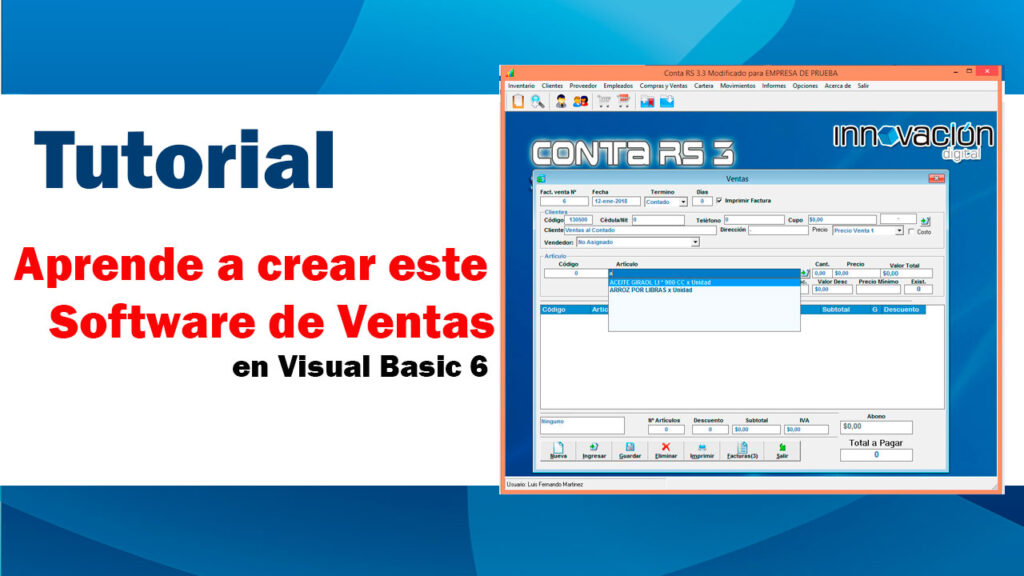
En esta lección muestro como mostrar los productos ingresados en la tabla detalle de productos en un Grid.
 Colabora y Suscribete a mi canal de

Primero se corregio el procedimiento para inicializar el grid para tomara el color azul del titulo que se vea igual a otros que ya hemos usado:
Sub InicializarGrip()
    msGrid.Cols = 9
    msGrid.Rows = 1
    msGrid.ColWidth(0) = 0
    msGrid.ColWidth(1) = 0
    msGrid.ColWidth(2) = 900 \'codigo
    msGrid.ColWidth(3) = 4300 \'nombre
    msGrid.ColWidth(4) = 800 \'cantidad
    msGrid.ColWidth(5) = 1300 \'preciov
    msGrid.ColWidth(6) = 1300 \'imp
    msGrid.ColWidth(7) = 1300 \'subtotal
    msGrid.ColWidth(8) = 1300 \'Desc

    msGrid.TextMatrix(0, 0) = "ID"
    msGrid.TextMatrix(0, 1) = "IdPro"
    msGrid.TextMatrix(0, 2) = "Código"
    msGrid.TextMatrix(0, 3) = "Nombre Producto"
    msGrid.TextMatrix(0, 4) = "Cant"
    msGrid.TextMatrix(0, 5) = "Precio V"
    msGrid.TextMatrix(0, 6) = "Impuesto"
    msGrid.TextMatrix(0, 7) = "Subtotal"
    msGrid.TextMatrix(0, 8) = "Descuento"

    \'recorre las celdas del titulo del grid y le da color
    For I = 1 To msGrid.Cols - 1
        msGrid.Row = 0
        msGrid.Col = I \'va recorriendo las celdas de la primera fila
        msGrid.CellBackColor = &H8C5828 \'color azul para el fondo
        msGrid.CellAlignment = flexAlignCenterCenter \'texto centrado
        msGrid.CellForeColor = vbWhite \'color blanco para el texto
        msGrid.CellFontBold = True \'Negrita
    Next I

End Sub
Para eso se crea un sub procedimiento llamado LlenarGridProductos en el cual se hace la consulta la base de datos y luego se le da formato al control Grid.
Sub LlenarGridProductos()
    Dim Sql As String
    Dim Columnas As Integer
    Columnas = 9

    Sql = "SELECT tblDetalle_Venta.Id_detalle, tblDetalle_Venta.IdProducto, tblProductos.CodigoPro, tblProductos.NombrePro, tblDetalle_Venta.Cantidad_dv, tblDetalle_Venta.P_Venta_dv, tblDetalle_Venta.Impuesto_dv, 0 as Subtotal, tblDetalle_Venta.Descuento_dv " _
        & " FROM tblProductos INNER JOIN tblDetalle_Venta ON tblProductos.IdProducto = tblDetalle_Venta.IdProducto WHERE tblDetalle_Venta.Num_VentaTemp = " & ConsecutivoTemp

    Call LlenarGrid(msGrid, Sql, Columnas)


    msGrid.ColWidth(0) = 0
    msGrid.ColWidth(1) = 0 \'ID
    msGrid.ColWidth(2) = 0 \'item
    msGrid.ColWidth(3) = 900 \'codigo
    msGrid.ColWidth(4) = 4300 \'nombre
    msGrid.ColWidth(5) = 800 \'cantidad
    msGrid.ColWidth(6) = 1300 \'preciov
    msGrid.ColWidth(7) = 1300 \'imp
    msGrid.ColWidth(8) = 1300 \'subtotal
    msGrid.ColWidth(9) = 1300 \'Desc


    msGrid.TextMatrix(0, 2) = "IdPro"
    msGrid.TextMatrix(0, 3) = "Código"
    msGrid.TextMatrix(0, 4) = "Nombre Producto"
    msGrid.TextMatrix(0, 5) = "Cant"
    msGrid.TextMatrix(0, 6) = "Precio V"
    msGrid.TextMatrix(0, 7) = "Impuesto"
    msGrid.TextMatrix(0, 8) = "Subtotal"
    msGrid.TextMatrix(0, 9) = "Descuento"

    msGrid.ColAlignment(5) = flexAlignCenterCenter
    TotalVenta = 0
    TotalDescuento = 0
    For Filas = 1 To msGrid.Rows - 1
          Cantidad = msGrid.TextMatrix(Filas, 5)
          PrecioVp = CCur(msGrid.TextMatrix(Filas, 6))
          DescuentoP = CCur(msGrid.TextMatrix(Filas, 9))
          SubTotal = (Cantidad * PrecioVp) - DescuentoP

          msGrid.TextMatrix(Filas, 6) = Format(msGrid.TextMatrix(Filas, 6), "currency")
          msGrid.TextMatrix(Filas, 7) = Format(msGrid.TextMatrix(Filas, 7), "currency")
          msGrid.TextMatrix(Filas, 8) = Format(SubTotal, "currency")
          msGrid.TextMatrix(Filas, 9) = Format(msGrid.TextMatrix(Filas, 9), "currency")
          TotalVenta = TotalVenta + SubTotal
          TotalDescuento = TotalDescuento + DescuentoP
    Next Filas

    txtTotalFactura.Text = Format(TotalVenta, "currency")
    txtTotalDescuento.Text = Format(TotalDescuento, "currency")

    NArticulos.Text = msGrid.Rows - 1

End Sub
Después que se ingresa el producto se debe limpiar los campos que contienen los datos del producto ingresaro:
Sub LimpiarDatosProducto()
    txtCodigoPro.Text = ""
    txtNombrePro.Text = ""
    txtCant_Pro.Text = 0
    txtPrecioV_Pro.Text = 0
    txtValorTotalPro.Text = 0
    txtPorcDescuentoPro.Text = 0
    txtDesuentoVPro.Text = 0
    txtPrecioMinimoPro.Text = 0
    txtExistPro.Text = 0
    txtNombrePro.SetFocus
End Sub
Otro procedimiento que se actualizo fue el evento KeyUp del control txtCant_Pro para que al presionar Enter ingrese el producto:
Private Sub txtCant_Pro_KeyUp(KeyCode As Integer, Shift As Integer)
    If txtCant_Pro.Text <> "" Then
       Call CalcularVTotal(0)
    End If
    If KeyCode = 13 Then
       Call cmdIngresarPro_Click
    End If
End Sub
De la misma manera se agrego al evento KeyUp del campo txtPrecioV:
Private Sub txtPrecioV_Pro_KeyUp(KeyCode As Integer, Shift As Integer)
    If KeyCode = 13 Then
       Call cmdIngresarPro_Click
    End If
End Sub
Apóyanos siguiendo las redes sociales:
Suscribete a Youtube
Siguenos en Twitter
Siguenos en Facebook

BUENAS NOCHES GRACIAS POR LOS APORTES
QUIERO AGREGAR MAS COLUMNAS AL Grid Y NO DEJA USTED LO TIENE ASI
Dim Columnas As Integer
Columnas = 9
Y YO LO QUIERO ASI
Dim Columnas As Integer
Columnas = 14
Y SE DETIENE EN LA COLUMNA 9 Y NO SIGUE MAS, CAMBIO LA COLUMNA A OTRO VALOR 10 Y LO MISMO
SOLO FUNCIONA ASTA LA 9
COMO HAGO PARA AGRAGAR MAS COLUMNAS
Hola pues debes enviarme el código y el error que te saca para yo probarlo acá y decirte cual es el problema